¶ Ordering Tutorial: CU Marketplace
Step-by-step guide for ordering chemicals and supplies through the CU Marketplace.
¶ 1. Access the Marketplace
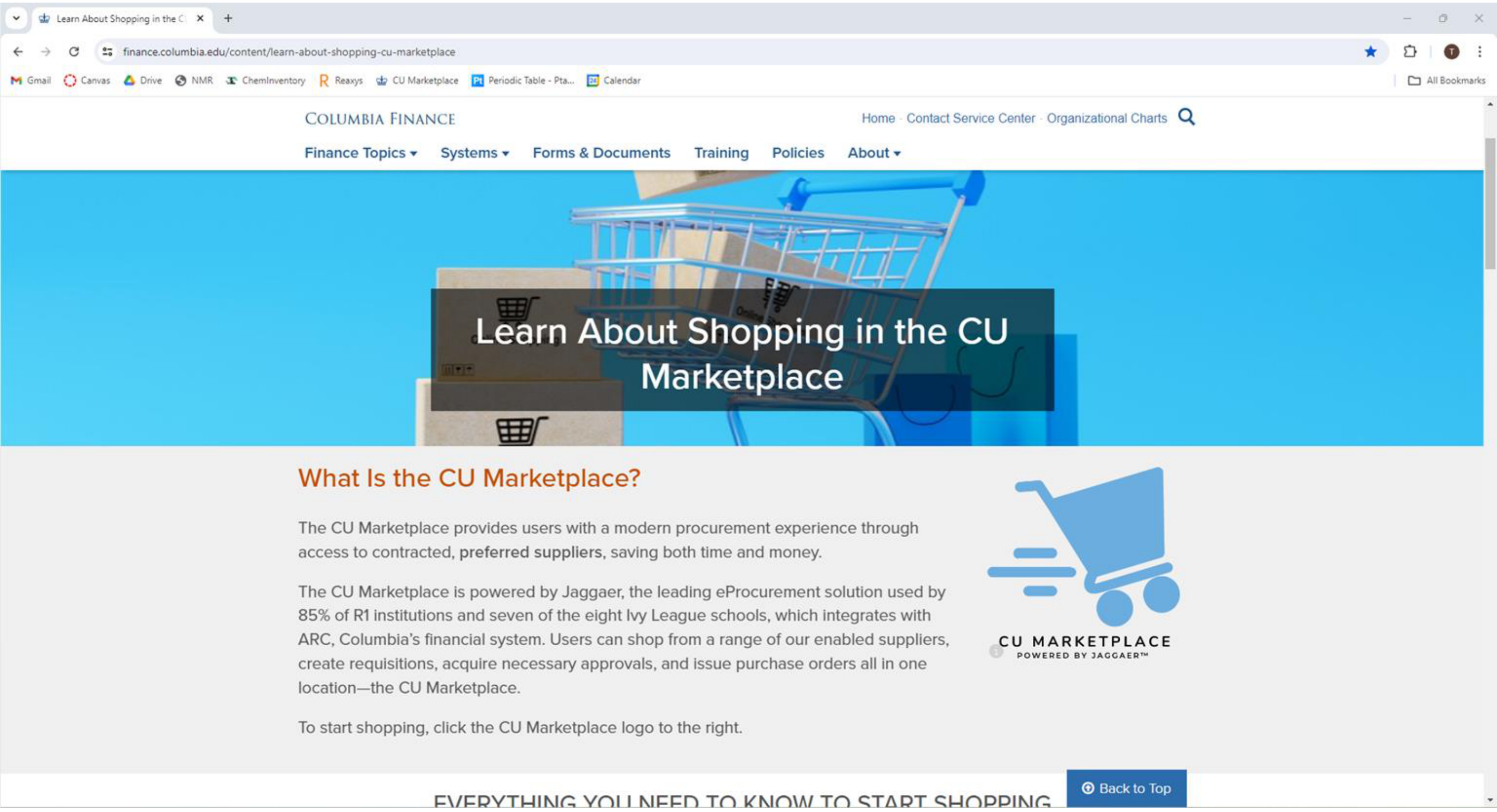
Log in to the CU Marketplace via the Columbia Finance portal.
¶ 2. Dashboard
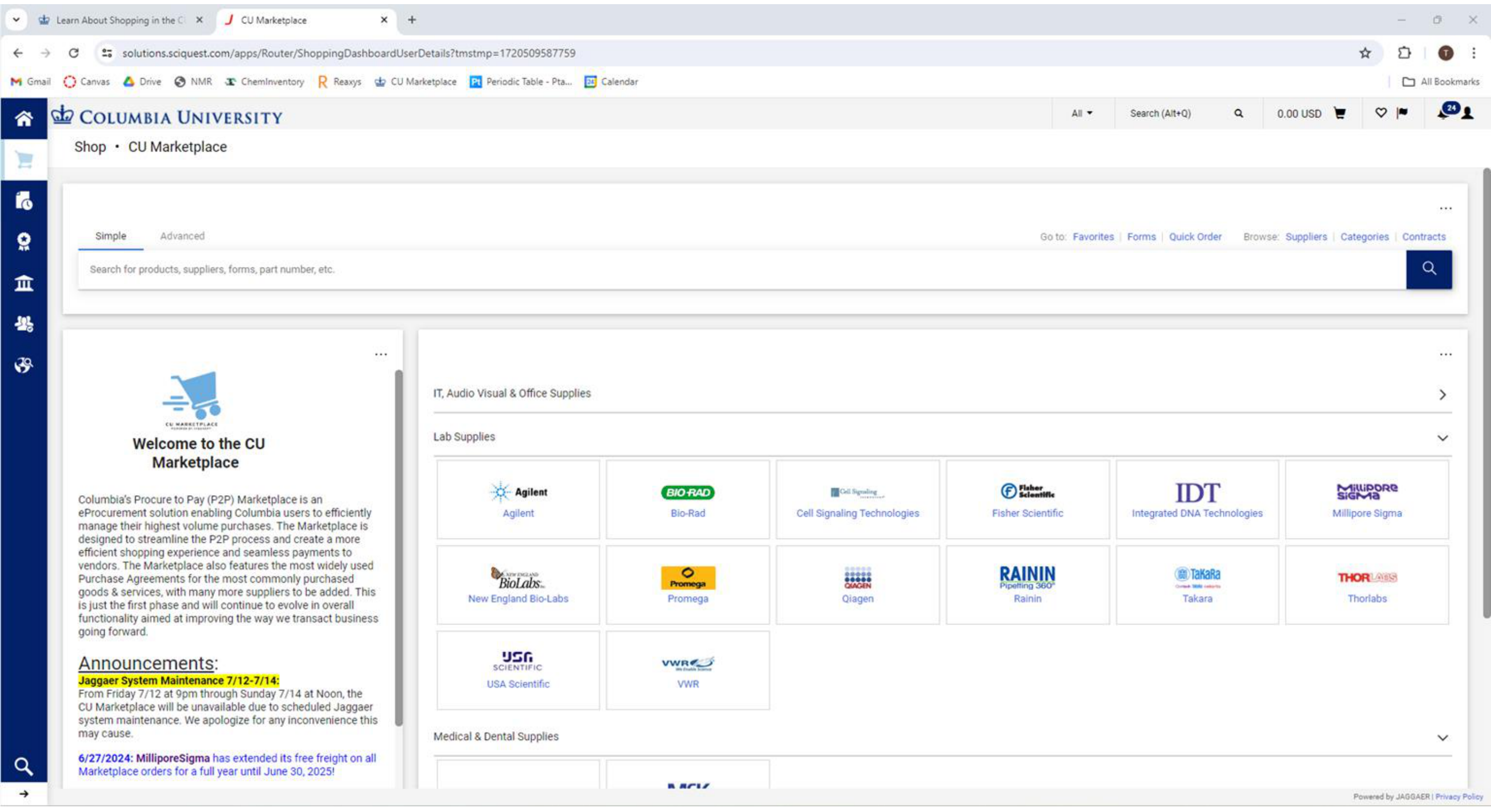
You will be greeted by the dashboard. Use the search bar for specific items or browse by supplier/category.
¶ 3. Search and Select
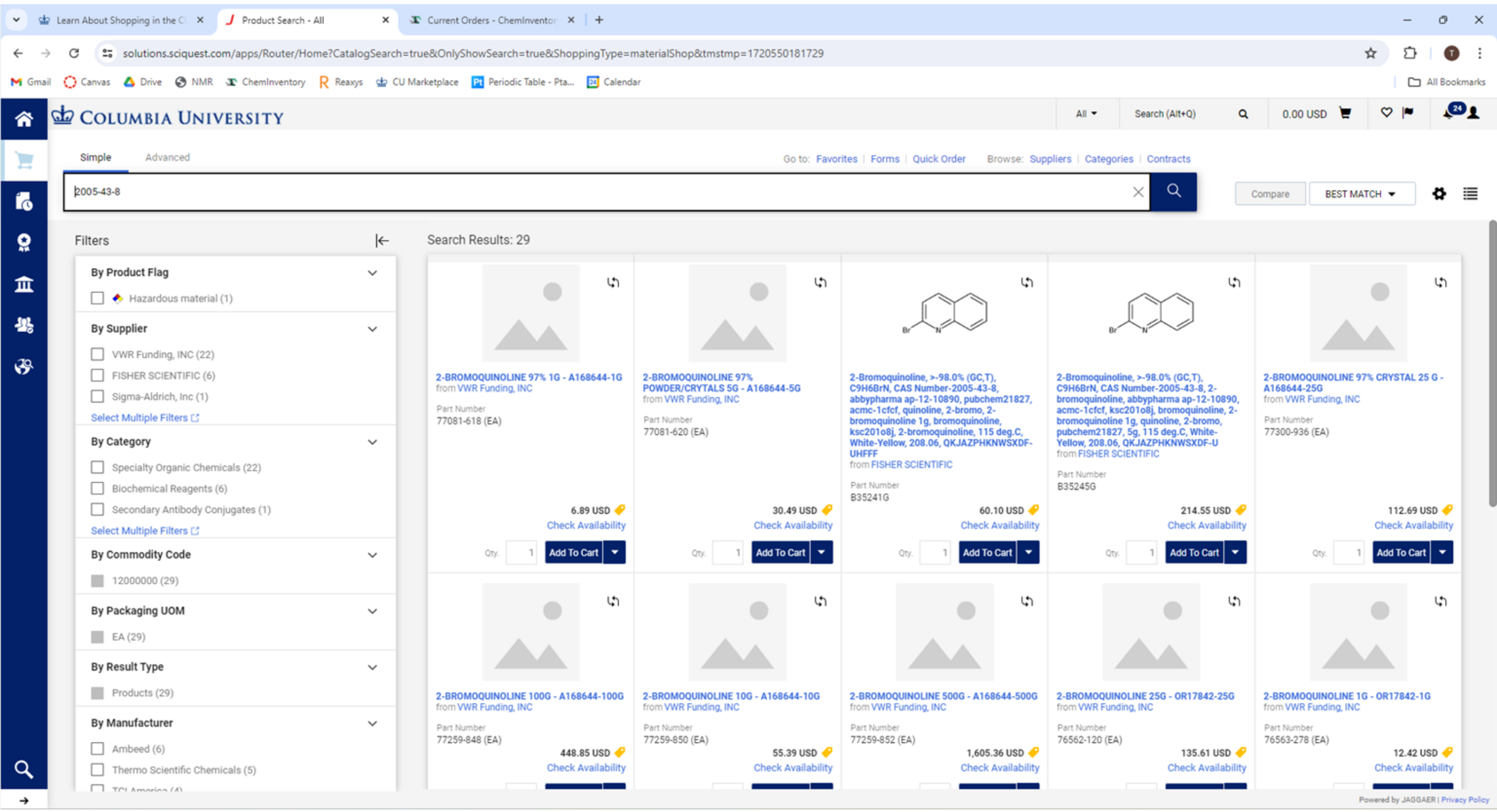
Search for your chemical (e.g., CAS number or name).
- Tip: Searching by CAS number is often more accurate for chemicals.
- Locate the correct product, ensuring purity and quantity match your needs.
¶ 4. Product Details
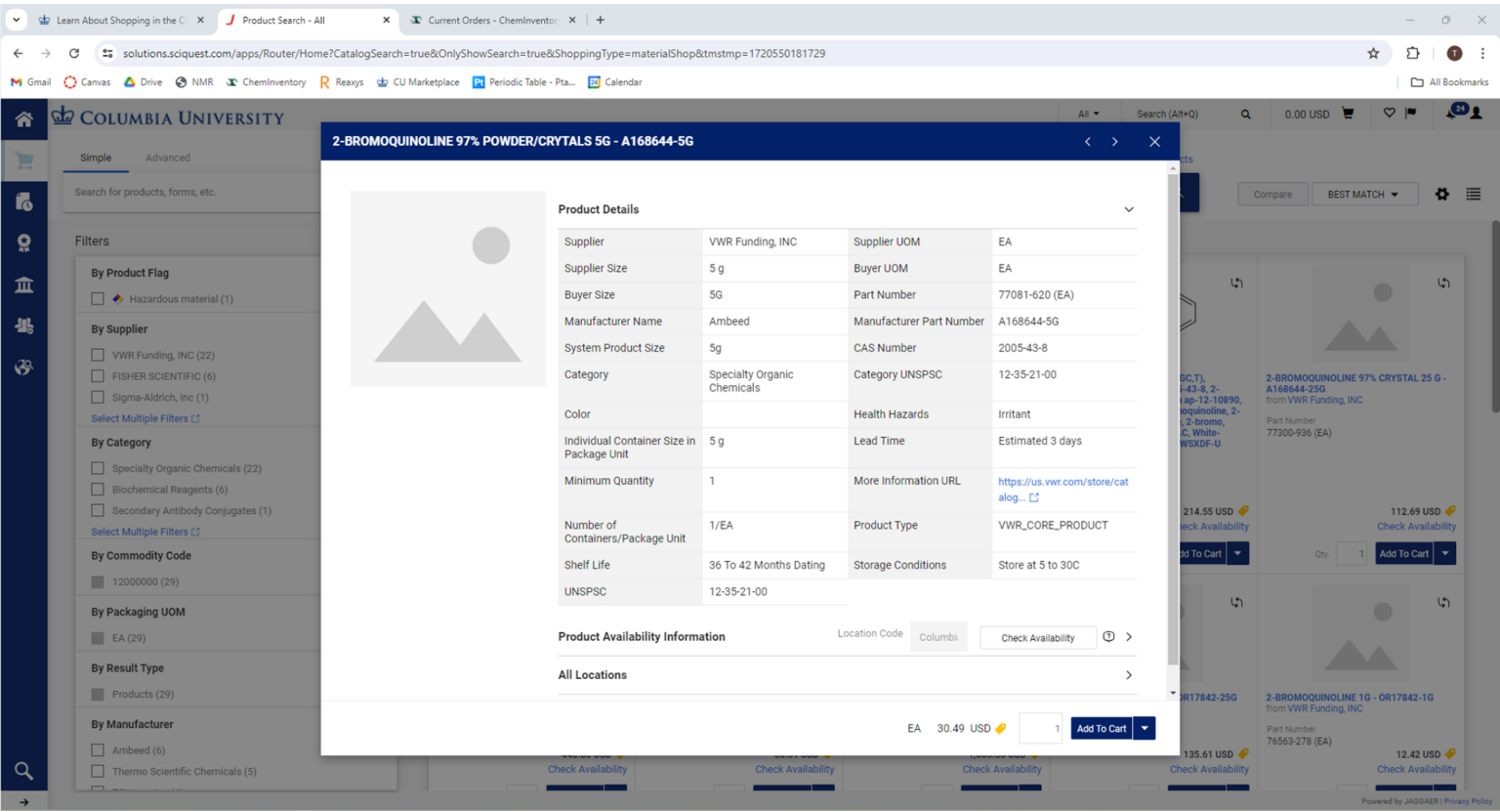
Click on the product to view details.
- Verify Availability (Stock status).
- Check Unit Size and Price.
- Click Add to Cart or Go to Cart to proceed.
¶ 5. Request Order Form
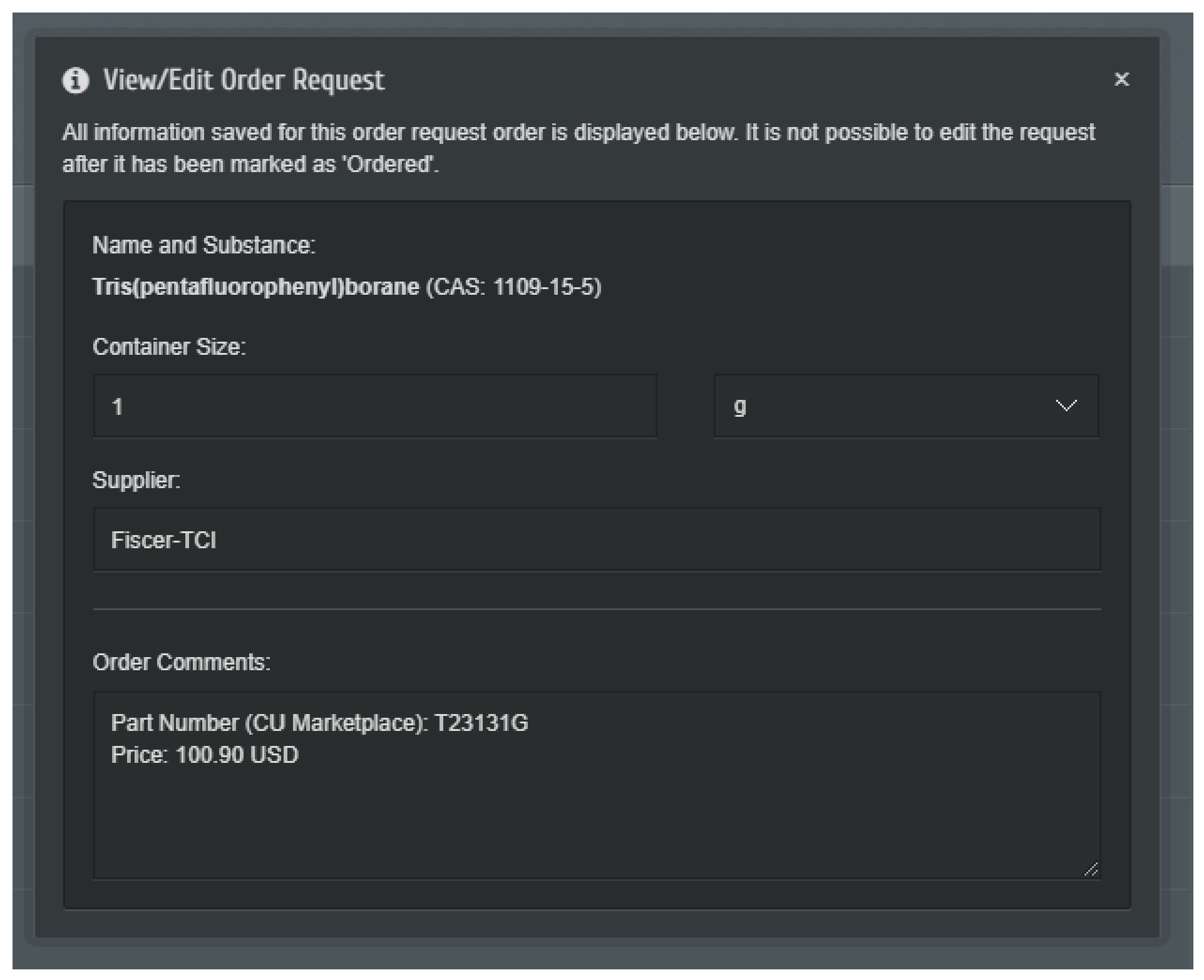
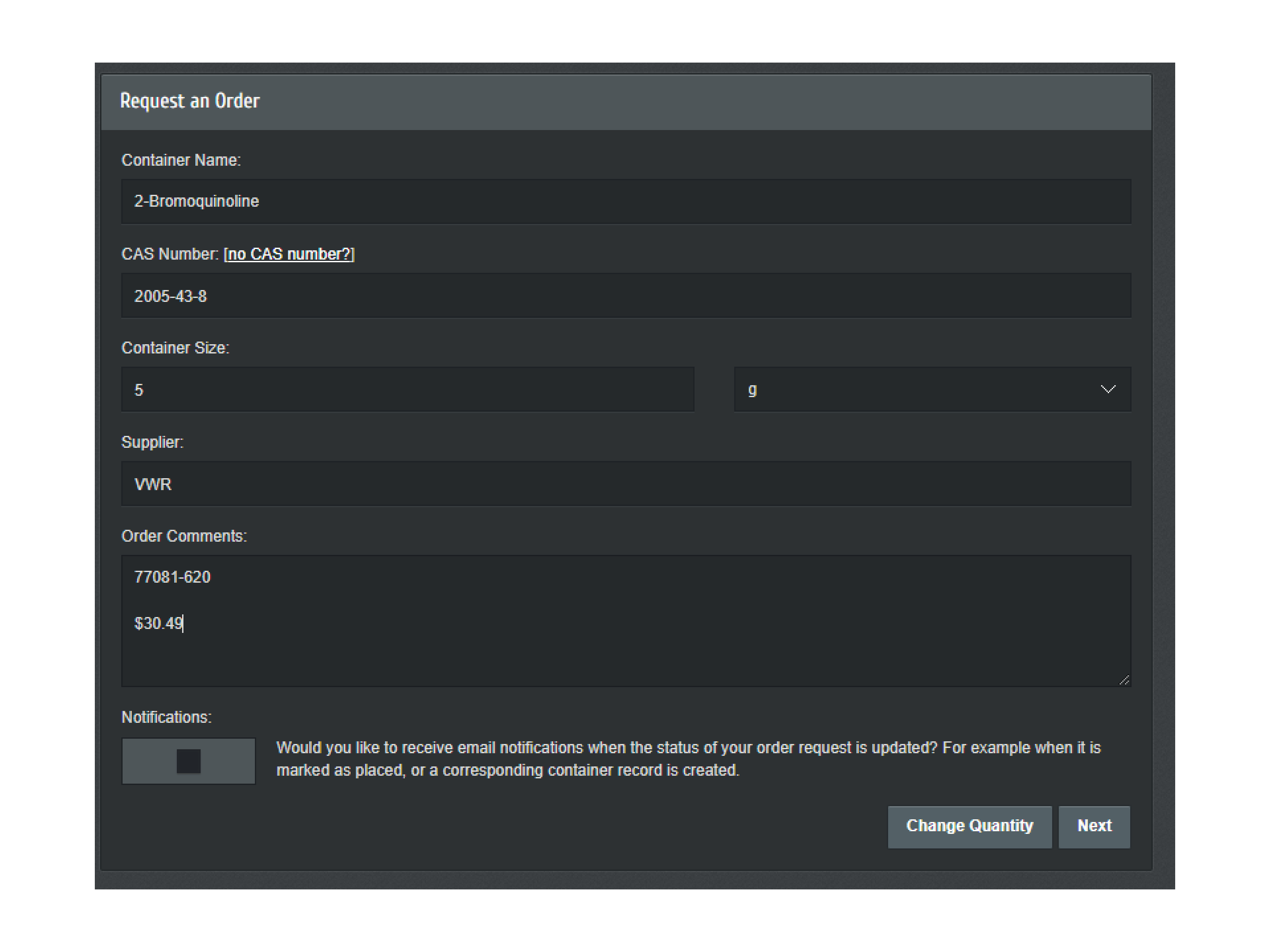
Fill out the order request details:
- Container Name: Confirm user chemical name.
- CAS Number: Ensure this is correct.
- Order Comments: Add any specific project codes or notes if required.
¶ 6. Confirmation
Review your request and submit.